

ENGAGE INTEGRATIONS
Connect Your Field Operations to the Systems You Already Use.
Keep field activity, validated tickets and invoice information moving between teams. Explore direct API connections, partner-enabled integrations and scoped custom work.
Start with your systems and the workflow you need to connect.
Reduce Repeat Entry
Move agreed field and invoice data between systems instead of retyping the same information at each handoff.
Connect Operations and Finance
Give accounting workflows access to the field-ticket information they need for review and processing.
Fit the Connection to the Job
Choose the appropriate API, partner or custom integration route for your systems, data and business requirements.
From Field Activity to Financial Systems.
Connect the operational record with the teams and systems that use it. A typical workflow to scope together:
01 Capture the work
Record service details and field activity in Engage E-Ticketing.
02 Review and validate
Apply configured criteria to ticket review and approvals.
03 Prepare the invoice
Carry ticket information into Engage E-Invoicing for review and processing.
04 Connect the destination system
Use the agreed API or partner route to transfer the supported data into your accounting workflow.
The systems, data fields, transfer direction and update frequency depend on the integration selected and its configuration.
Choose the Right Connection Route.
An API, a partner platform and a custom project are different ways to connect. We make that distinction so you can evaluate the right approach for your workflow.
Engage API
DIRECT API ACCESS
Build connections through Engage's RESTful HTTP interface to exchange and update supported data.
Review available endpoints, required fields and development responsibilities with our team.
NextGen
PARTNER-ENABLED CONNECTION
Connect Engage E-Invoice data with accounting workflows through NextGen, including applications involving QuickBooks and SAP.
Confirm your system edition, supported data and partner configuration with the team.
Unit 3 Tec / U3Exchange
PARTNER-ENABLED CONNECTION
Connect Engage with financial accounting systems through the U3Exchange integration route.
Discuss your destination system and required workflow to confirm compatibility and scope.
Custom Integration Work
SCOPED TO YOUR REQUIREMENTS
Work with Engage's integration team to evaluate requirements beyond an existing connection.
Define feasibility, data mapping, responsibilities and testing before agreeing on the project scope.
System Examples. Connection Details.
Explore documented accounting and field-data applications. Connection availability, data flows and configuration are confirmed for your systems and workflow.
QuickBooks
PARTNER ROUTE / UPLOAD WORKFLOW
QuickBooks is an example in the Engage–NextGen solution. Separately, High Plains Transport's case study describes the QuickBooks Upload available with OFS Max.
Confirm whether your deployment calls for an upload workflow or a partner-enabled connection.
SAP
VIA NEXTGEN
Connect Engage E-Invoice information with SAP accounting workflows through the NextGen integration route.
Review your SAP edition, required data fields and implementation scope with the team.
Operator SCADA Data
CUSTOMER-SPECIFIC APPLICATION
The Noble Energy / Chevron case study describes operator SCADA data informing predictive scheduling for fluid hauling.
Bring your data source and scheduling requirements to assess an appropriate connection for your operation.
Plan the Connection Before You Launch.
Use this planning checklist to frame your integration discussion. The final approach, responsibilities and timeline are agreed for your project.
01 Define Requirements
Identify your systems and versions, the workflow to improve, and the people responsible for each system.
02 Map the Data
Agree which records and fields need to move, how identifiers align, and the direction and frequency of data exchange.
03 Configure the Route
Select the API, partner or custom approach. Confirm access requirements, ownership and configuration responsibilities.
04 Test the Workflow
Walk through representative tickets and invoices. Check field mappings, approvals, exception handling and reconciliation.
05 Agree on Launch
Confirm acceptance criteria, the rollout plan and support responsibilities before putting the connection into production.
Integration Questions, Answered.
Is every connection a native Engage integration?
No. Engage offers its own API, partner-enabled routes through NextGen and Unit 3 Tec, and scoped custom integration work. The appropriate route depends on your system and workflow.
What information can move between systems?
Published examples include field-ticket information and E-Invoice data. Your project should specify the supported records, fields, identifiers, transfer direction and update frequency.
Can SCADA data support field scheduling?
The Noble Energy / Chevron case study describes operator SCADA data supporting predictive fluid-hauling scheduling. Bring your data source and operational requirements so the team can assess the appropriate connection.
How long will an integration take?
The timeline depends on system access, data mapping, partner requirements, testing and project scope. Define those requirements with the team before committing to a launch date.
What should I bring to the first discussion?
Your system names and versions, an example ticket or invoice with sensitive data removed, the manual handoffs you want to eliminate, and your technical and accounting points of contact.
Oil & Gas
We are the leading digital field ticketing and automation solution for the Oil & Gas industry, providing a unified platform for managing all field services from scheduling to payment.

Renewables
Our company provides a cutting-edge software to aid renewable energy businesses in managing intricate supply chains and processes.
Field Service Providers
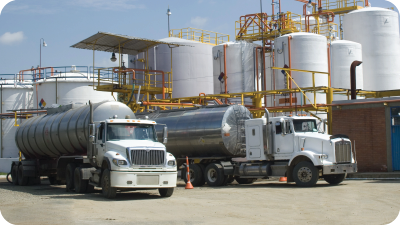
Our OFS Solutions is a powerful operations management tool for oilfield service companies, enabling you to efficiently manage the process of scheduling, dispatching, tracking, validating work and invoicing customers.
Waste Management
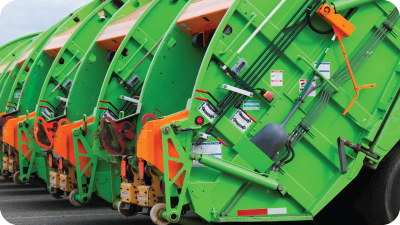
Our software is designed to simplify complex waste management workflows and make them more efficient and productive. It provides advanced tools that enable you to minimize time spent on waste management tasks.

Government
Our software provides an advanced tracking and workflow management solution that helps to fulfill the needs of government agencies at all levels, from local to federal.

Mining
We improve the supply & workflow systems of mining operations by providing analytical insights. This helps to simplify complex tasks & optimize performance associated with mining projects and field management.

Customer Evidence Behind the Workflow.
Explore published customer experiences with digital field transactions, accounting handoffs and operational data. Results reflect each customer's deployment and are not a guarantee for every integration.
PetroLegacy Energy
Start with a better field record.
“Digitizing the field transaction is way more impactful than just ‘eliminating paper.’ Digital ticketing consistently delivers simplicity and visibility.”
Jason Churchill, PetroLegacy Energy
From the published customer testimonial.
High Plains Transport
Approximately 500 hours saved annually.
High Plains reported reducing manual entry through the QuickBooks Upload available with OFS Max. Its case study connects digital field tickets with a more efficient accounting handoff.
Customer-reported result for the workflow described in the case study. Results vary by deployment.
Noble Energy / Chevron
Use operational data to inform the work.
The published fluid-hauling case study describes integrating operator SCADA data with predictive scheduling. The study reported improved barrels per load and fewer short loads after implementation.
Customer-specific deployment and results. Your SCADA connection would be assessed against your own data and workflow requirements.
Discuss Your Integration Requirements.
Tell us which systems you use and where manual handoffs slow your team down. Explore the right connection for your field operations and accounting workflow.
Bring your system names, data priorities and integration questions.
Call (720) 575-6695 or email Sales@engage-m.com.